5 Practical Ways to Create Visual Content with AI
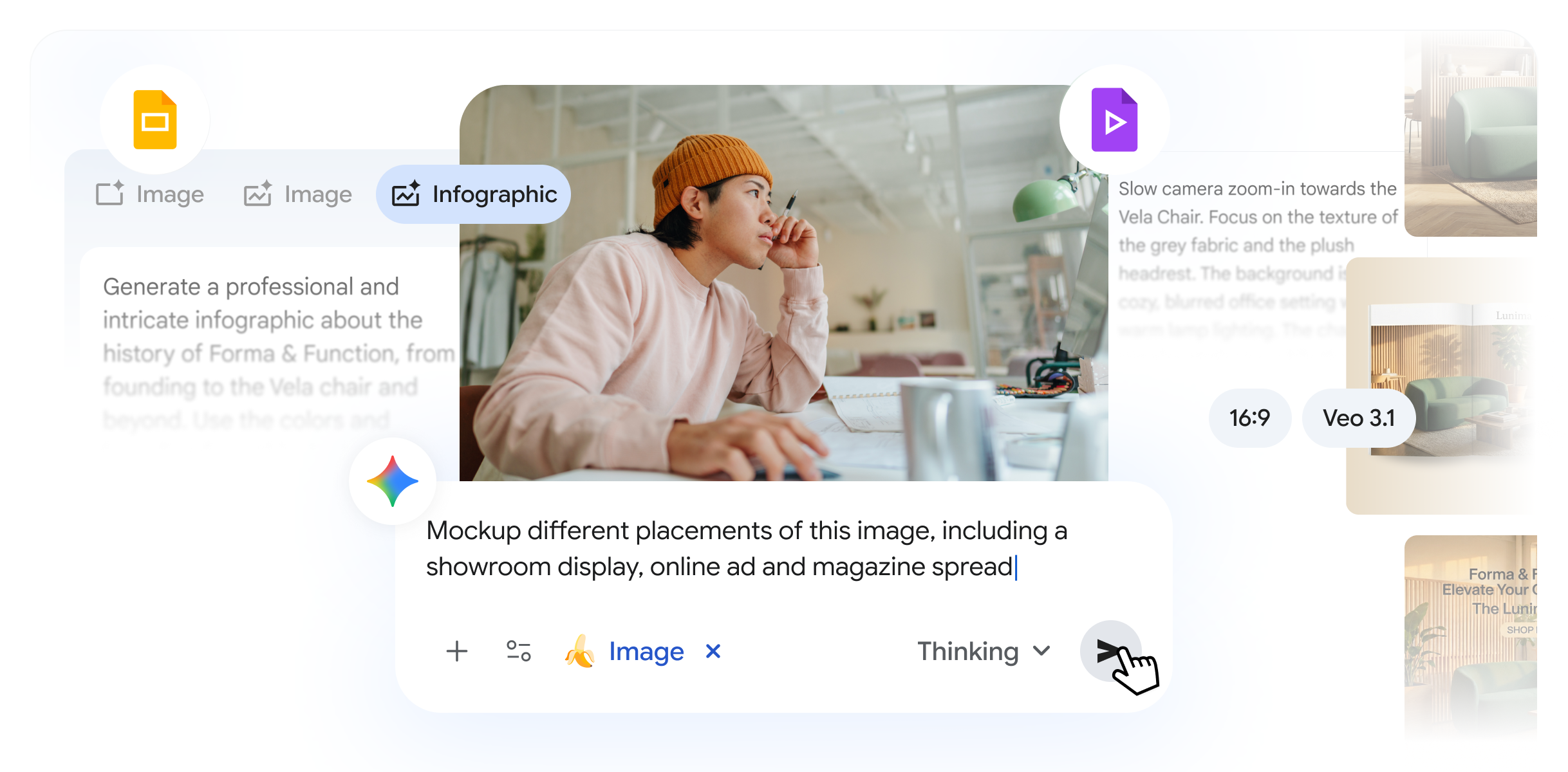
Generative AI has simplified and accelerated the creation of high-quality visual content. This can make your marketing campaigns, presentations, or internal training truly stand out. The main challenge for businesses is not just creating an image or video, but generating content that is accurate, relevant, and actually useful.
That’s why we recently integrated Nano Banana Pro (Gemini 3 Pro Image) and Veo 3.1 (Google’s advanced video generation model) directly into Google Workspace. And because Nano Banana Pro is connected to Google Search’s vast knowledge base, it understands the real world — meaning you can create visuals that are grounded in reality, not just imagination.
Here are 5 practical ways you can use AI-generated images and video to achieve business results:
1. Create More Visual Presentations
We all know what good slide design looks like, but creating it hasn’t always been easy. Next time you create a presentation in Google Slides, use Nano Banana Pro to enrich your slides. With the “Beautify this slide” feature, you can transform your slide into an impressive visual with one click.
You can also create detailed, professional infographics directly in Slides using only a text description (prompt). Try it here: slides.new.
2. Create Dynamic Product Photos
Taking high-quality product photos used to require a photoshoot. With Nano Banana Pro, you can now quickly create professional shots by uploading your product photo and placing it in different situations, simply through descriptions. Need a new visual for a website or online ad? You can do it in seconds at gemini.google.com.
3. Scale Multi-Format Campaigns in Minutes
A successful campaign must respond to your audience’s interests across different channels. Now you can quickly adapt materials for various platforms. Start by creating a “hero image” using Nano Banana Pro in the Gemini app. To measure audience resonance, create several variations for A/B testing with small changes to your prompts.
4. Create Animated Videos from Your Images
To enhance visual storytelling, you can now create videos from images using Veo in Google Vids or the Gemini app. Choose up to three images, write a prompt on how you want to combine them, and Veo will take care of the rest. The result? A short, high-quality video that is perfect for social media or presentations. Try it here: vids.new.
5. Improve Internal Training with Video Storytelling
Internal training materials are often boring. With Google Vids, you can easily transform documents into dynamic video training. Using the power of Veo in Vids, you can create short, specific video clips that instantly visualize complex concepts. This is not just for beauty; it’s about using visual storytelling so your team understands and remembers the material better.
Geosoft Blogger
Cloud First Technology.
Related post:
- Gemini vs ChatGPT vs Claude: Which AI Model is Best in 2026?
- Google Workspace and Gemini: 128 Ways Our Customers Transform Work
- MX, DMARC, SPF, and DKIM: The Complete Guide to Email Security
- Google's AI Revolution: From Gemini to Vertex AI - How to Adapt It for Your Business?
- Google Antigravity: A New Word in Code Writing and DevOps
