MX, DMARC, SPF, and DKIM: The Complete Guide to Email Security
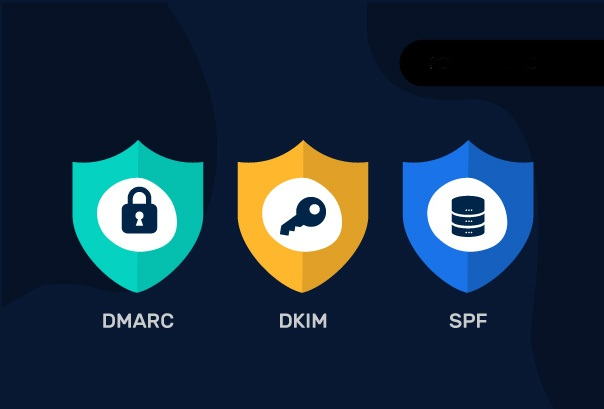
In today’s digital world, email security is critically important for any business. We often hear the terms MX, SPF, DKIM, and DMARC, but what do they really mean and why is their correct configuration essential?In this blog, we will discuss each of them in detail and share best practices.
1. MX (Mail Exchange) Records
What is it? An MX record is part of the DNS (Domain Name System) that tells the world which server should receive email for your domain. Think of it as a postal code that ensures the letter is delivered to the correct address.
Best Practice:
- Priorities: MX records have priorities (e.g., 1, 5, 10). A lower number means higher priority. For Google Workspace, always use the priorities provided by Google (smtp.google.com with priority 1).
- Backup Servers: Always have at least two MX records so that if one server is unavailable, the other can receive the email.
2. SPF (Sender Policy Framework)
What is it? SPF is a DNS record that defines which IP addresses or servers are authorized to send email on behalf of your domain name. This is the first line of defense against spoofing.
Best Practice:
- Single Record: A domain should have only one SPF record. If you use different services (e.g., Google Workspace and Mailchimp), combine them into one record using the
includemechanism. - ~all vs -all:
~all(Soft Fail): Email not coming from an authorized IP will be marked as suspicious but may still reach the recipient (often in the Spam folder). Recommended at the initial stage.-all(Hard Fail): Strictly rejects unauthorized email. Use only after ensuring you’ve added all legitimate senders.- Never use
+all, as it means anyone can send email on your behalf.
3. DKIM (DomainKeys Identified Mail)
What is it? DKIM uses a cryptographic signature to confirm that the email really came from your domain and its content hasn’t changed in transit. The server puts a digital “seal” on the letter, which the recipient server verifies using a public key in the DNS.
Best Practice:
- Activation: Always enable DKIM from your email provider’s (e.g., Google Workspace) admin panel.
- Key Rotation: Periodically (e.g., every 6 months) change (re-generate) your DKIM key to strengthen security.
4. DMARC (Domain-based Message Authentication, Reporting, and Conformance)
What is it? DMARC combines SPF and DKIM. It tells the recipient server what to do if a letter fails SPF or DKIM checks. Also, it sends you reports about who is trying to send letters on behalf of your domain.
Best Practice - Gradual Implementation:
- Phase 1 - Monitoring (
p=none): Start with policyp=none. This won’t block letters but will provide reports. Analyze these reports to see all legitimate sources. - Phase 2 - Quarantine (
p=quarantine): When you’re sure legitimate sources pass SPF/DKIM, move top=quarantine. Suspicious letters will go to spam. - Phase 3 - Reject (
p=reject): The final goal. This policy fully blocks any letter that fails authentication. This maximizes brand protection.
Summary
Email security is not a one-time action; it’s a process. Start by setting up SPF and DKIM, then gradually strengthen control through DMARC. This will not only protect your reputation but also improve your email deliverability rate.

Geosoft Blogger
Cloud First Technology.
